who's talking?
Somasundaram Mahesh
- Android Engineer · building mobile products for 8+ years
- Currently building mobile experiences at JioHotstar
- Shipped products used by millions — learned most of this the hard way
- @msomuin on X · msomu.com
let's be honest
We are all demo builders right now
~90%
of AI POCs never reach production
2 wks
average lifespan of a hackathon AI project
Building a demo that impresses your manager is easy.
Building something users come back to tomorrow is not.
01
What even is an AI Demo?
anatomy of an AI demo
Impressive in a meeting. Brittle everywhere else.
- Happy-path input only — no edge cases accounted for
- No error handling — LLM fails silently or crashes loud
- Hand-crafted prompts that break with real user phrasing
- No latency consideration — "it works on my machine"
- Cost modelled for 10 users, not 10,000
- Zero observability — you can't tell what's failing in prod
the trap
Demos reward the wrong things
Demo mindset
- Optimise for the wow moment
- Hide the failure modes
- Works for one use case
- Feedback loop: applause
Product mindset
- Optimise for the 1000th user
- Design for failure
- Works across the full distribution
- Feedback loop: retention
02
Why AI Products are different
the hard problem
AI output is non-deterministic by design
- Same input → different output every time
- You cannot unit-test correctness the traditional way
- Users don't forgive inconsistency — they call it "broken"
- Model updates silently change your product's behaviour
- Hallucinations aren't bugs you fix — they're risk you manage
This is why most demo patterns don't survive contact with prod.
the four gaps between demo and product
Reliability
Demos work. Products work consistently.
Trust
Users need to know when to trust the AI — and when not to.
Cost
Token costs that seem fine at 100 users destroy margins at 100K.
User Experience
Latency, streaming, graceful degradation — the UX layer is 80% of the work.
03
The Product Mindset Shift
principle #1
Design for failure first
- Every LLM call will fail — timeout, rate-limit, refusal, or garbled output
- Build graceful fallbacks before building the happy path
- Use structured output (JSON mode, function calling) to constrain variance
- Validate every AI response before showing it to the user
- Give users a recovery path — not just an error message
principle #2
Replace vibes with evals
Vibe-based
- "It looks good to me"
- Manual spot-checking
- Breaking changes discovered in prod
Eval-based
- Golden dataset of inputs & expected outputs
- Automated scoring (LLM-as-judge or rule-based)
- Regression suite runs on every prompt change
You don't need 100% accuracy. You need to know when you've regressed.
principle #3
If you can't see it, you can't fix it
- Log every LLM input + output in production
- Track latency, cost, failure rate, and user corrections
- User corrections = your most valuable signal
- Alert on quality drift — not just uptime
Tools: LangSmith · Langfuse · Helicone · or roll your own
principle #4
The UX layer is the product
- Stream responses — don't make users stare at a spinner
- Show confidence — let users know when the AI is uncertain
- Make it easy to correct — editable output builds trust
- Progressive disclosure — show the reasoning, not just the answer
- Keyboard-first, accessible, offline-resilient
principle #5
Model your costs before you scale
$0.02
per call feels fine at 500 users/day
$600
per month at 1K users, 30 calls/day
- Cache aggressively — prompt caching cuts repeat costs 80%+
- Right-size your model — GPT-4o is not always the answer
- Batch non-realtime work — embeddings, summaries, tagging
04
What to do on Monday
the AI product checklist
Before calling it a product
- Test 20 real inputs — including the weird ones
- Define "wrong" — then build an eval for it
- Validate every LLM response before it hits your UI
- Log latency + cost on every LLM call
- Build a fallback for every AI feature
- Stress-test at 10× expected load
"AI makes the first 80% of a product trivially easy.
The last 20% — the part that earns trust — is still hard work." — the lesson nobody posts about
05
Where Do You Stand?
tier 1 · ~15% of devs globally
Traditional Coder

- Opens IDE, writes every line manually
- Stack Overflow, docs, and Google are the "AI"
- Git workflow, manual code review
- Deep craft knowledge — but moving slower every year
- Shrinking fast — 84% of devs plan to adopt AI tools
tier 2 · ~50%+ of devs today
Copy-Paste Prompter

- ChatGPT or Claude.ai open in a browser tab
- Paste question → copy code → tweak → ship
- No project context, no memory, one-shot answers
- AI as a smarter Stack Overflow — not a collaborator
- Most people here. Only 14.7% go beyond this
tier 3 · ~68% at work use inline AI
AI Collaborator

- GitHub Copilot, Cursor, JetBrains AI built into the editor
- Feed files as context — agent writes the impl
- Multi-turn conversations within the codebase
- Human reviews every diff and steers direction
- JetBrains 2025: 68% of devs at work use inline AI
tier 4 · the emerging edge
Agentic Engineer
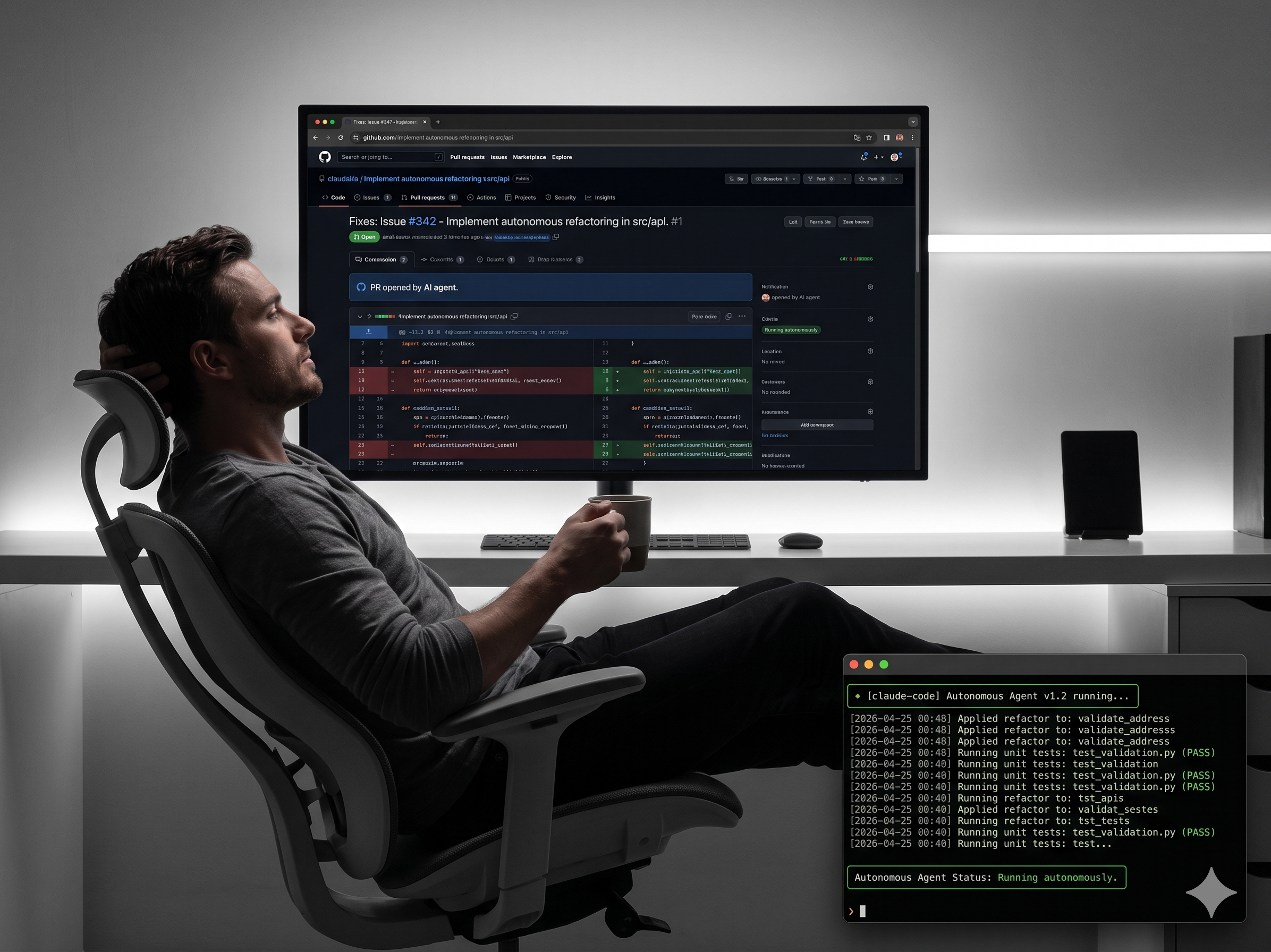
- Claude Code, Cursor Agent, GitHub Copilot Coding Agent
- Give a goal — agent reads files, writes, tests, opens PR
- Slack message → issue → autonomous PR
- Human is the reviewer, not the writer
- 25% of YC W25 startups: 95%+ AI-generated code
the coder spectrum — 2026
Four tiers. One direction.
1
Traditional Coder
IDE · Git · Google · no AI
2
Copy-Paste Prompter
ChatGPT tab · paste · tweak · ship
3
AI Collaborator
Copilot · Cursor · files as context
4
Agentic Engineer
Claude Code · Slack → PR · fully autonomous
your path forward
One tier at a time
- Tier 1 → 2: Next time you Google an error, ask Claude instead. Keep a browser tab open. No setup needed.
- Tier 2 → 3: Install Cursor or GitHub Copilot. Start attaching relevant files as context — stop one-shotting, start iterating.
- Tier 3 → 4: Install Claude Code (
npm i -g @anthropic-ai/claude-code). Give it a task, not a line. Review the diff. - Tier 4 → Top: Wire Claude Code or a Copilot Coding Agent to your GitHub Actions. Slack message → issue → PR, no human in the loop until review.
The goal isn't to reach Tier 4 today. The goal is to not be at Tier 1 in six months.